Docs / Connectors / Generic REST Endpoints
Generic REST Endpoints Connector
The ASAPIO Integration Add-on facilitates the direct integration of supported SAP NetWeaver® systems with generic REST endpoints.
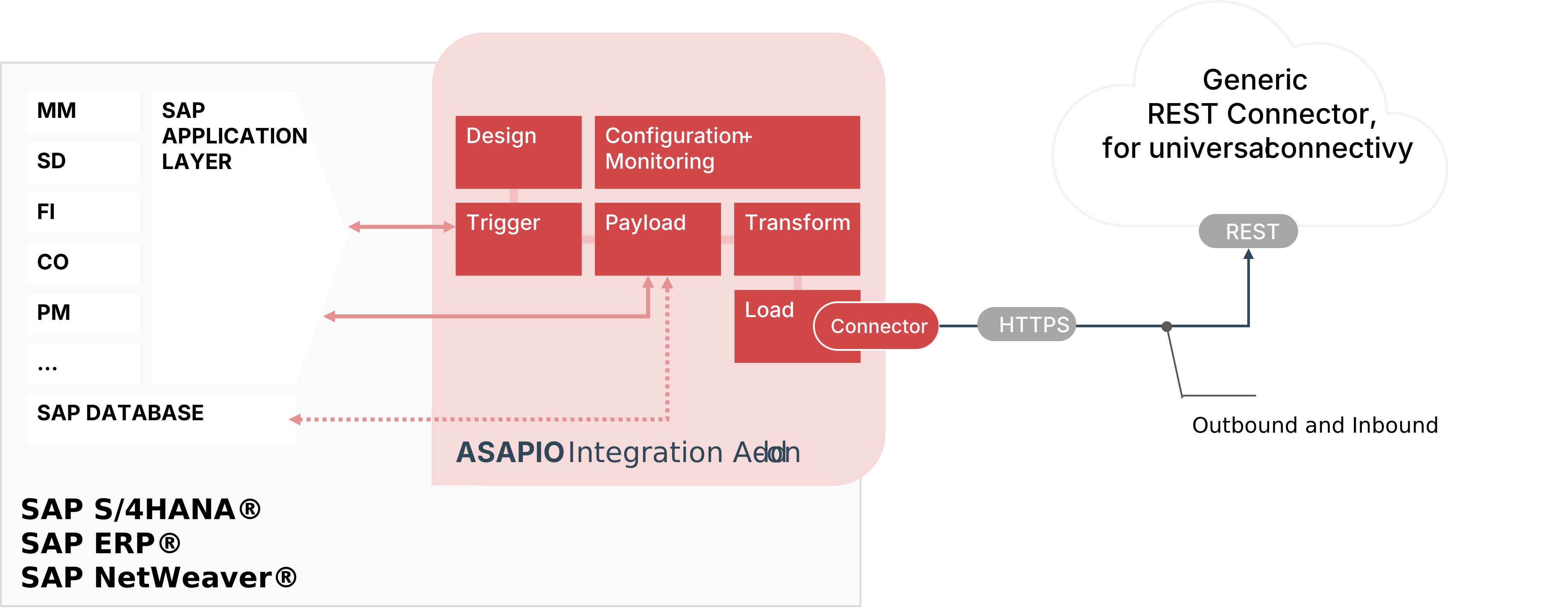
Overview
| Add-on / Component Name | Type |
|---|---|
| ASAPIO Integration Add-on – Framework | Base component (required) |
| ASAPIO Integration Add-on – REST Connector | Additional package |
Key features:
- Supports a wide range of SAP NetWeaver-based systems, including SAP ERP, S/4HANA, BW, HCM and many more
- Out-of-the-box connectivity to many REST endpoints (generic connectivity)
- Inbound connectivity is also possible, using a webhook to call the ASAPIO REST endpoint
- Switch between event-driven (single events) or batch mode (job-driven) calls
- Batch mode allows multi-threading with multiple SAP work processes
Prerequisites
The REST endpoint shall support one of the following authentication methods:
- Basic authentication
- Certificate-based authentication
- OAuth
Endpoint URLs shall be reachable from the SAP server on which the ASAPIO Add-on is running.
Steps Required to Establish Connectivity
To establish connectivity with the REST service, proceed with the following activities and refer to the specific documentation chapters below:
- Create RFC destinations in the SAP system settings
- Set up authentication
- Set up basic configuration to lay the foundation for using the REST connector
- Set up a connection instance to the REST endpoint in the ASAPIO Integration Add-on
- See the Outbound Messaging documentation for a simple example to test connectivity
Create RFC Destinations
Add Certificate to Trust Store
- Download the certificate necessary for your endpoint.
- In transaction STRUST, double-click the node “SSL Client (Anonymous)”.
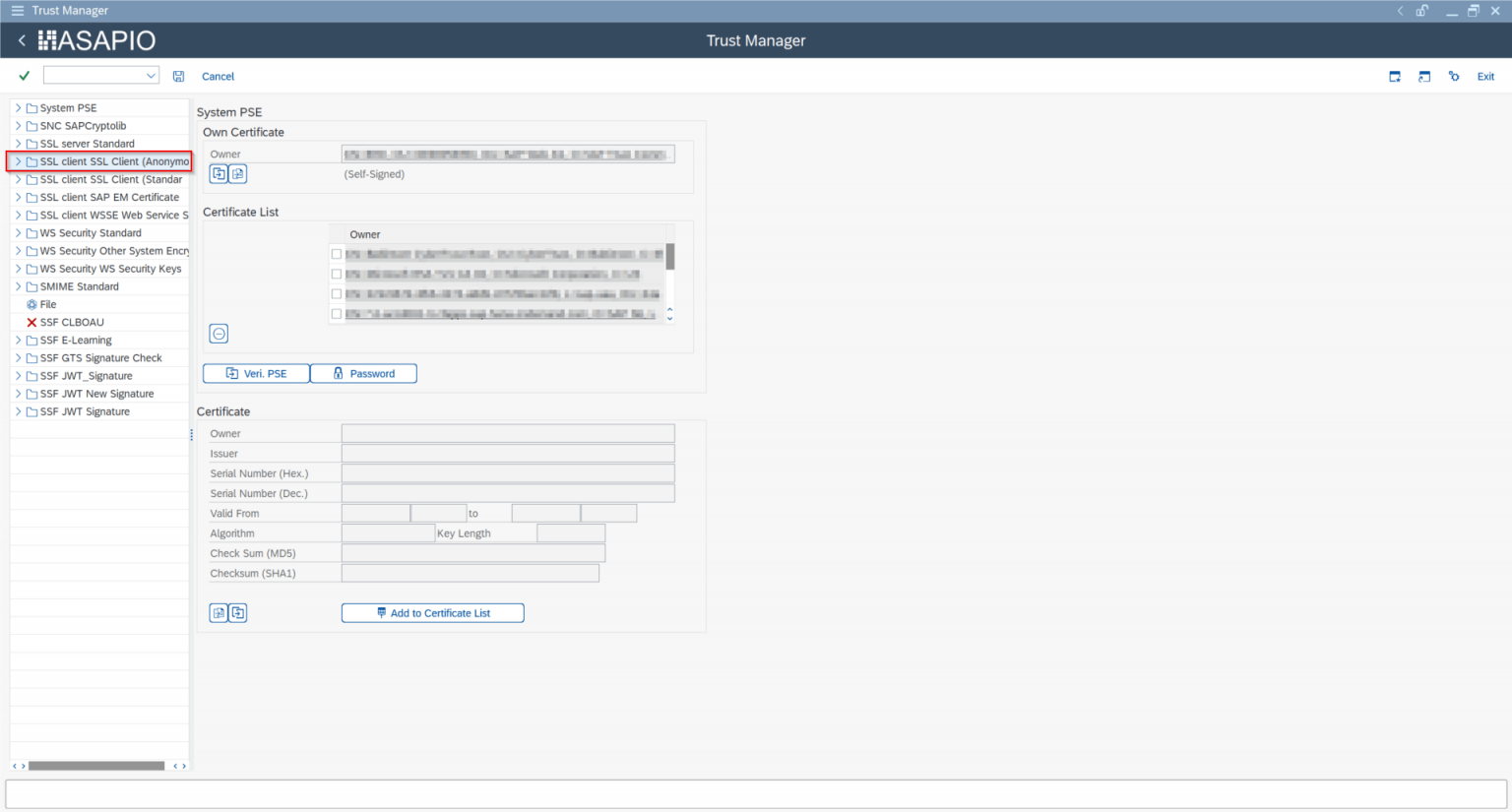
- At the bottom, press the “Import certificate” button and select the downloaded certificate file.
- Press the “Add to Certificate List” button, then confirm by pressing “Save” at the top.
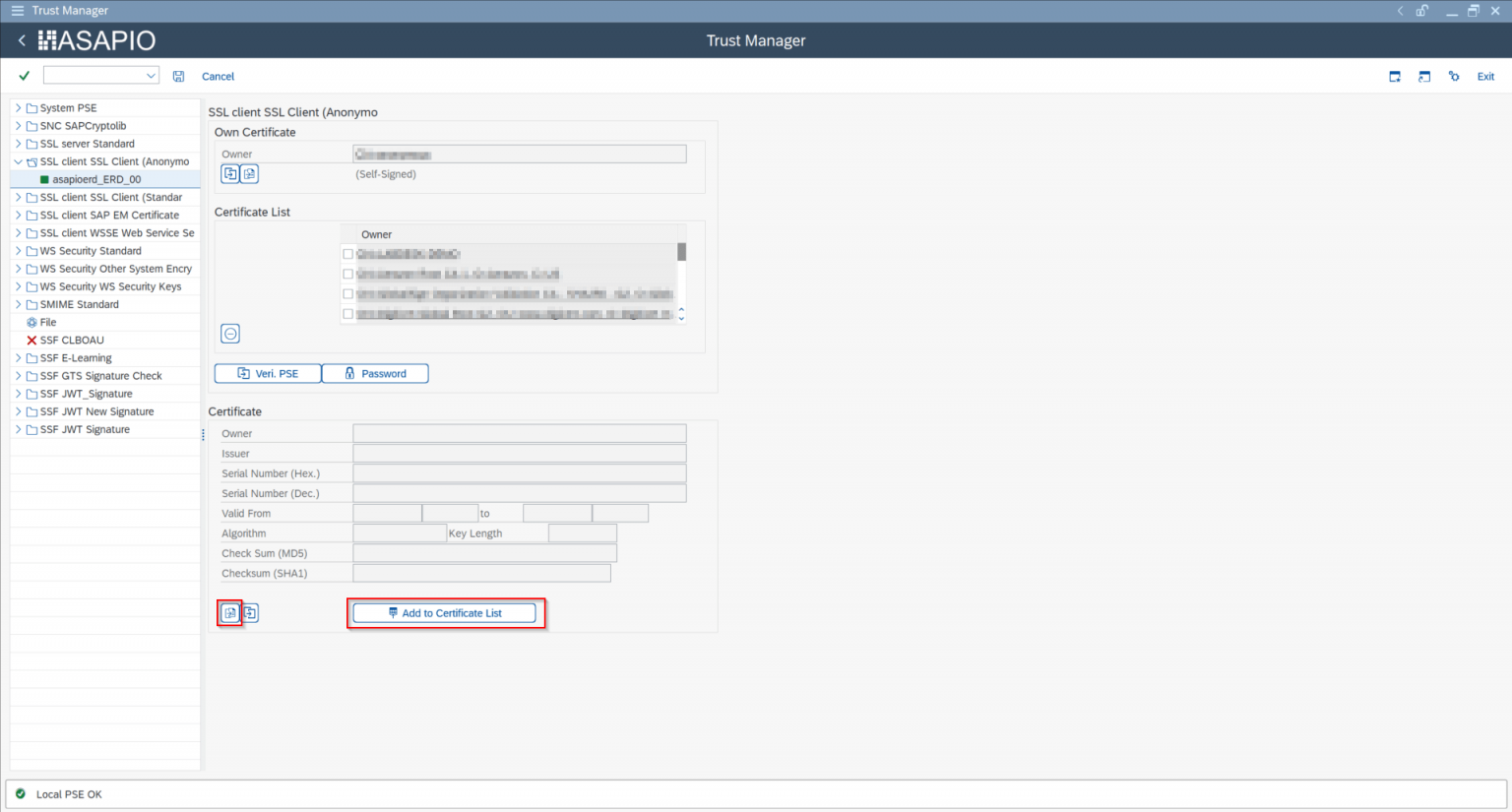
Create RFC Destination for REST Endpoint
- Transaction: SM59
- Create a new destination of type “G”.
- On the “Technical Settings” tab, specify Target Host:
<your REST endpoint host>. - On the “Logon & Security” tab, activate SSL and select ANONYM SSL Client.
- Save and press “Connection Test”. Depending on your endpoint this can result in HTTP status code 404 or 405 – this test only checks the SSL configuration, so as long as you don't get an SSL error, this step is fine.
Set-up Basic Settings
The following settings are specific to the REST Connector.
Configure Cloud Adapter
Add an entry for the connector to the list of cloud adapters:
- Transaction: SPRO
- Go to IMG → ASAPIO Integration Add-on → Maintain Cloud Adapter. Add a new entry and specify:
- Name: a unique custom name, e.g.
REST_HANDLER - Cloud Type
- ACI Handler Class:
/ASADEV/CL_ACI_REST_HANDLER
Set-up Codepages
Specify the codepages used in the integration:
- Transaction: SPRO
- Go to IMG → ASAPIO Cloud Integrator → Maintain Cloud Codepages
- Add a new entry and specify the codepages to be used, e.g.:
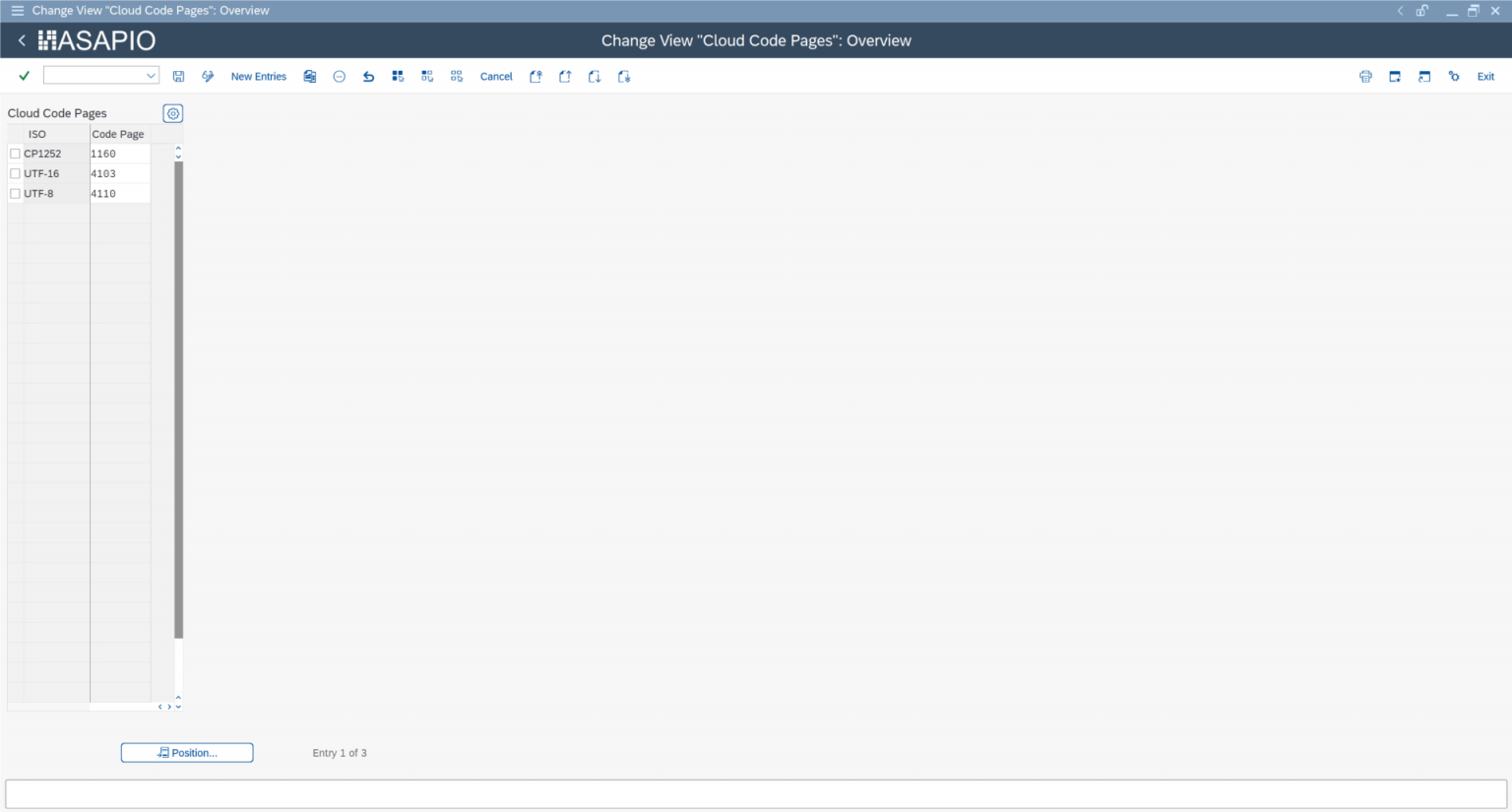
Set-up Connection Instance
Create the connection instance customizing together with the RFC destination created earlier and the cloud connector type:
- Transaction: SPRO
- Go to IMG → ASAPIO Integration Add-on → Connection and Replication Object Customizing
- Add a new entry and specify:
- Instance: a name for this connection
- RFC Dest. (Upload): the RFC destination created for the messaging endpoint
- ISO Code: the codepage to use
- Cloud Type: the connector name chosen for the REST handler connector
Set-up Outbound Messaging
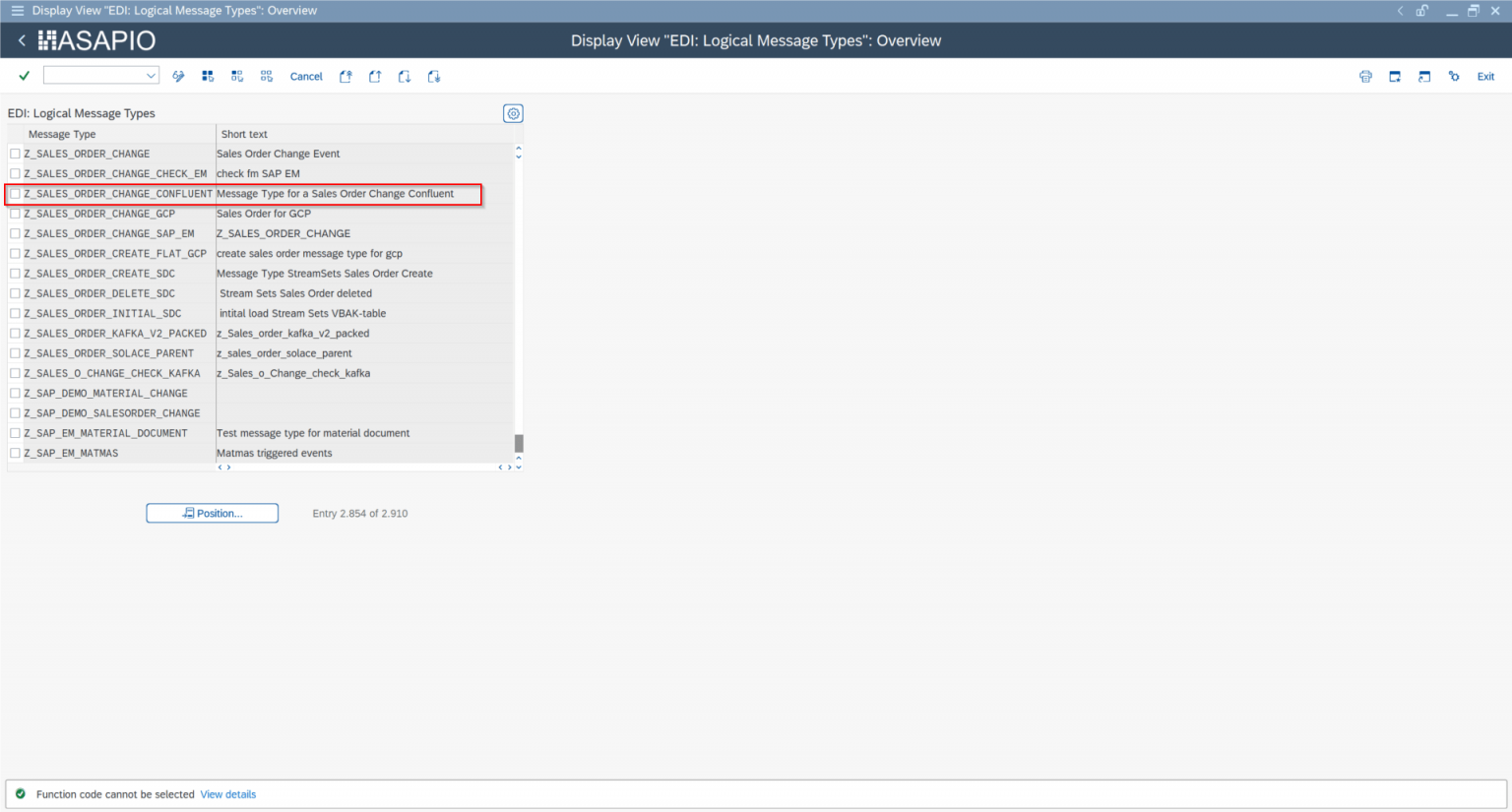
Create Message Type
Example: the steps below use the Sales Order (BUS2032) event – choose any other suitable example if required. For each object to be sent via the Add-on, create a message type:
- Transaction: WE81
- Add a new entry and specify:
- Message Type: a unique name for the integration
- Description: description of the purpose
Activate Message Type
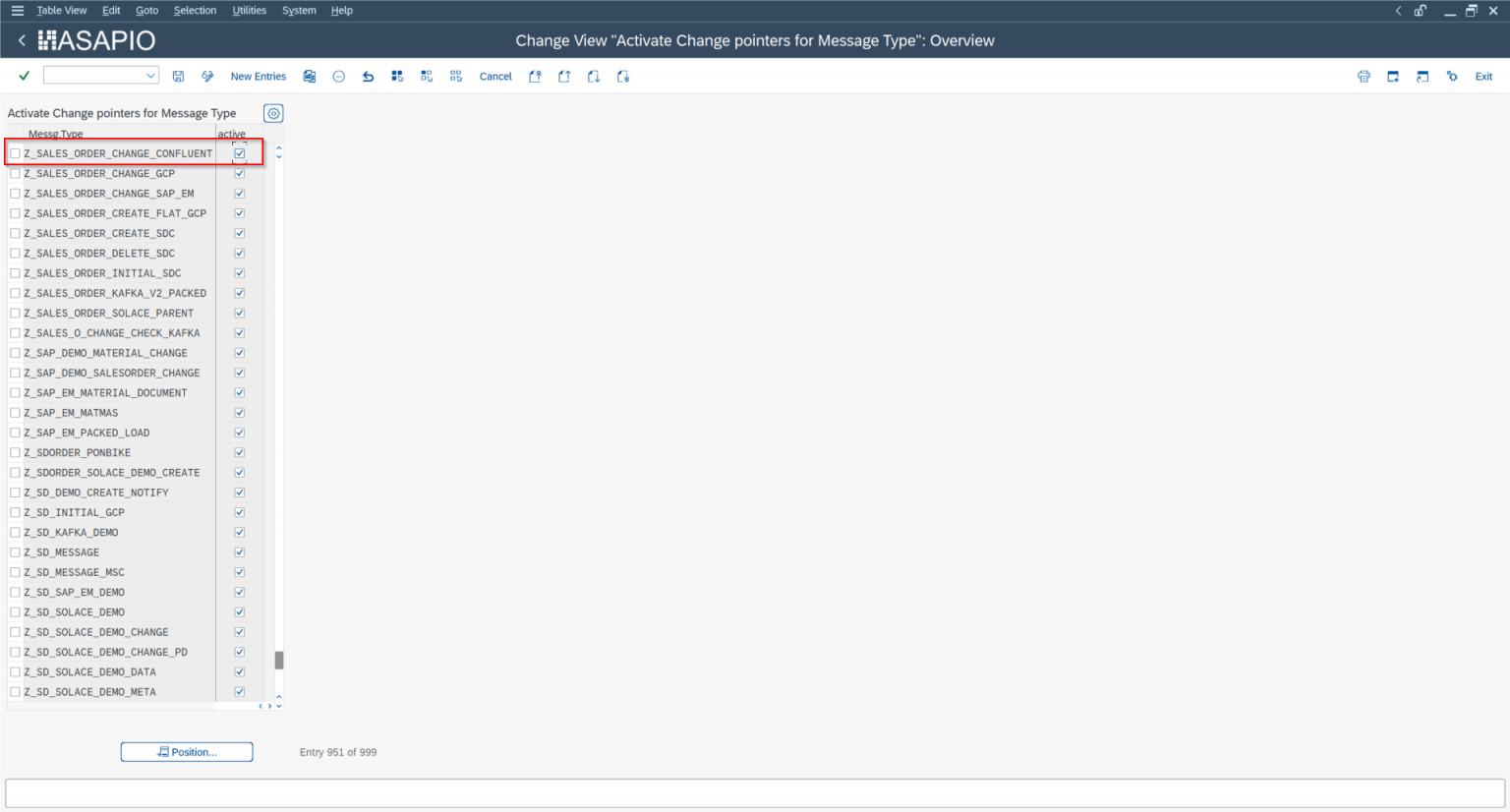
The created message type has to be activated:
- Transaction: BD50
- Add a new entry and specify:
- Message Type: the created message type
- Active: tick the checkbox
Set-up Target Endpoint in ‘Header Attributes’
Configure the URL path to send events to:
- Go to section Header Attributes
- Add a new entry and specify:
| Header Attribute | Header Attribute Value |
|---|---|
ACI_HTTP_URI | sap_demo/sales_order |
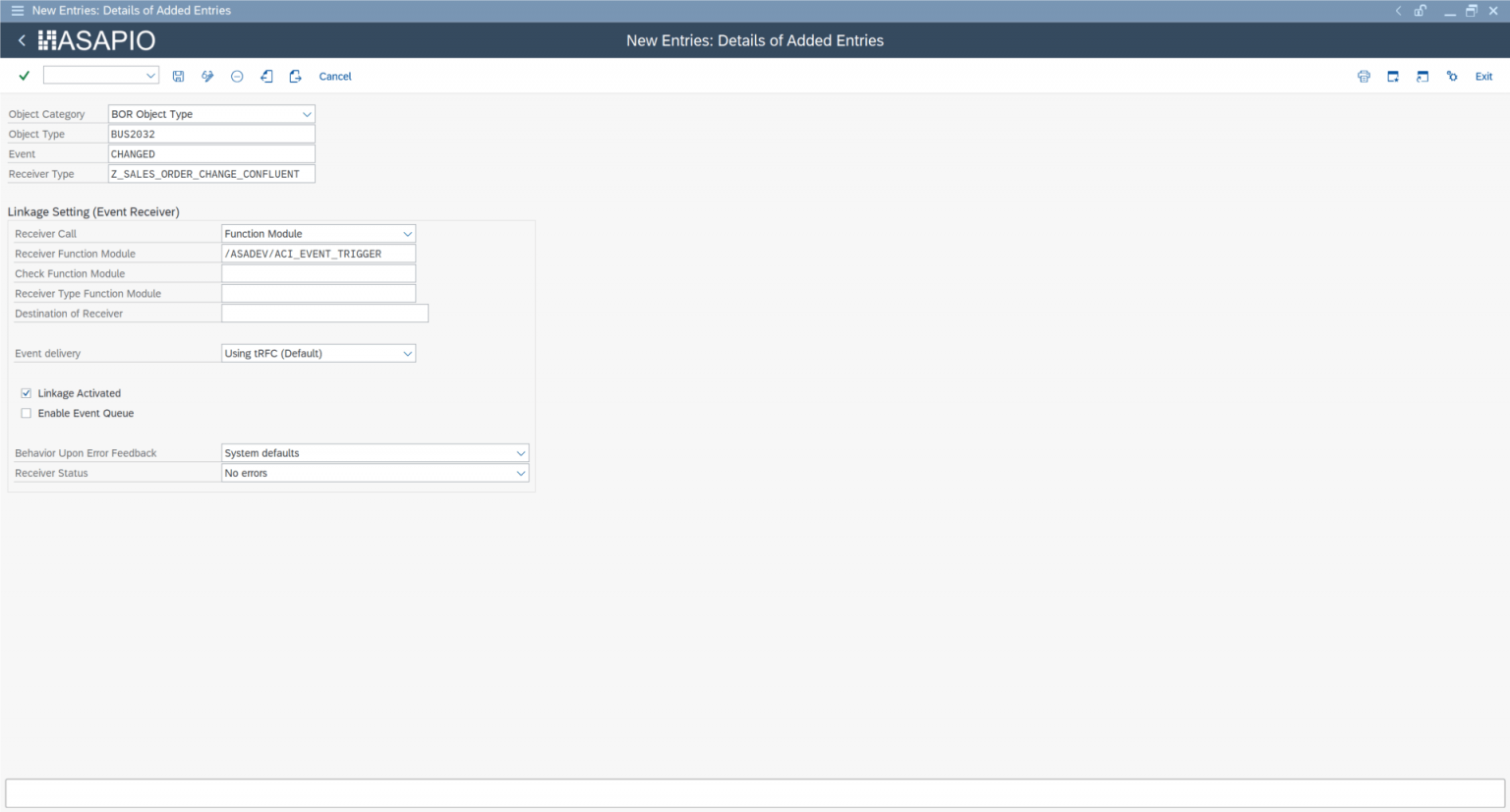
Set Up ‘Business Object Event Linkage’
Link the configuration of the outbound object to a Business Object event:
- Go to section Header Attributes, or use transaction SWE2
- Add a new entry and specify:
- Object Category: BO BOR Object Type
- Object Type: the Business Object Type sending the event
- Event: the event to react to
- Receiver Type: the message type of the outbound object (the link to the Add-on configuration)
- Receiver Call: Function Module
- Receiver Function Module:
/ASADEV/ACI_EVENTS_TRIGGER - Linkage Activated: tick the checkbox
For further configuration of the payload etc., see Outbound Messaging.