Docs / Event Studio / Solace Event Portal
Integrate with Solace Event Portal
Publish the events, schemas, and applications generated by your ASAPIO outbound objects directly into Solace Event Portal, so your governance structure, catalog, and lifecycle tooling stay in sync with what SAP actually sends.
1. Overview
Event Portal provides cloud-based event management capabilities that improve developer productivity, enhance governance and compliance, facilitate improved collaboration across teams, enable efficient design and analysis of event flows, and enable governed self-service access to event data in the runtime — ultimately leading to faster time-to-market and reduced errors in event-driven applications and services.
Event Portal supports modeling your EDA for the multiple operational environments that you maintain across your software development lifecycle. You can have multiple versions of applications, events, schemas, and enumerations, which enables you to maintain production versions while you develop and test new versions to extend and enhance your EDA at the same time.
Event Portal offers runtime discovery and cataloging of events, schemas, and application interactions. It also allows middleware and integration teams to enable developers to define runtime configurations required for their applications and deploy them to event brokers themselves in Solace Cloud, or as part of an automated deployment process or CI/CD pipeline.
Event Portal also provides request and approval workflows for event access, so data owners have the controls necessary to govern access to event data in the runtime, as well as request and approval workflows for deploying configuration changes to the event brokers in the runtime.
2. Prerequisites
1. A Solace Cloud Account
You need access to a Solace Cloud organization with Event Portal enabled.
2. An Event Portal API token
Associated with a user/service account that has at least:
- Designer permissions on the Application Domain
- Or broader Event Portal admin permissions
The token is used by SAP integration logic to call the Event Portal REST APIs.
3. An Application Domain
The Application Domain must already exist, because your flow is:
- SAP publishes metadata
- Into a predefined governance structure
4. Event Studio
You need to have Event Studio installed and configured for your SAP system.
3. Configuration
Create RFC Destination SAP GUI
Create a new RFC destination of type "G" (HTTP Connection to External Server).
- Transaction: SM59
- Create new destination of type "G"
- Specify Target Host: regional REST API base server (often called Home Cloud API endpoint)
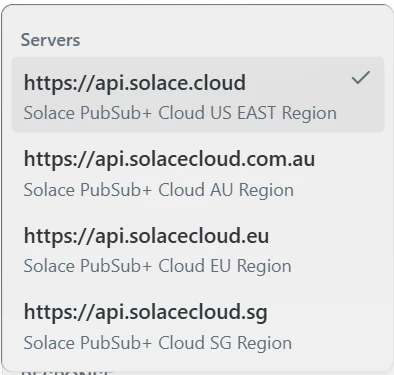
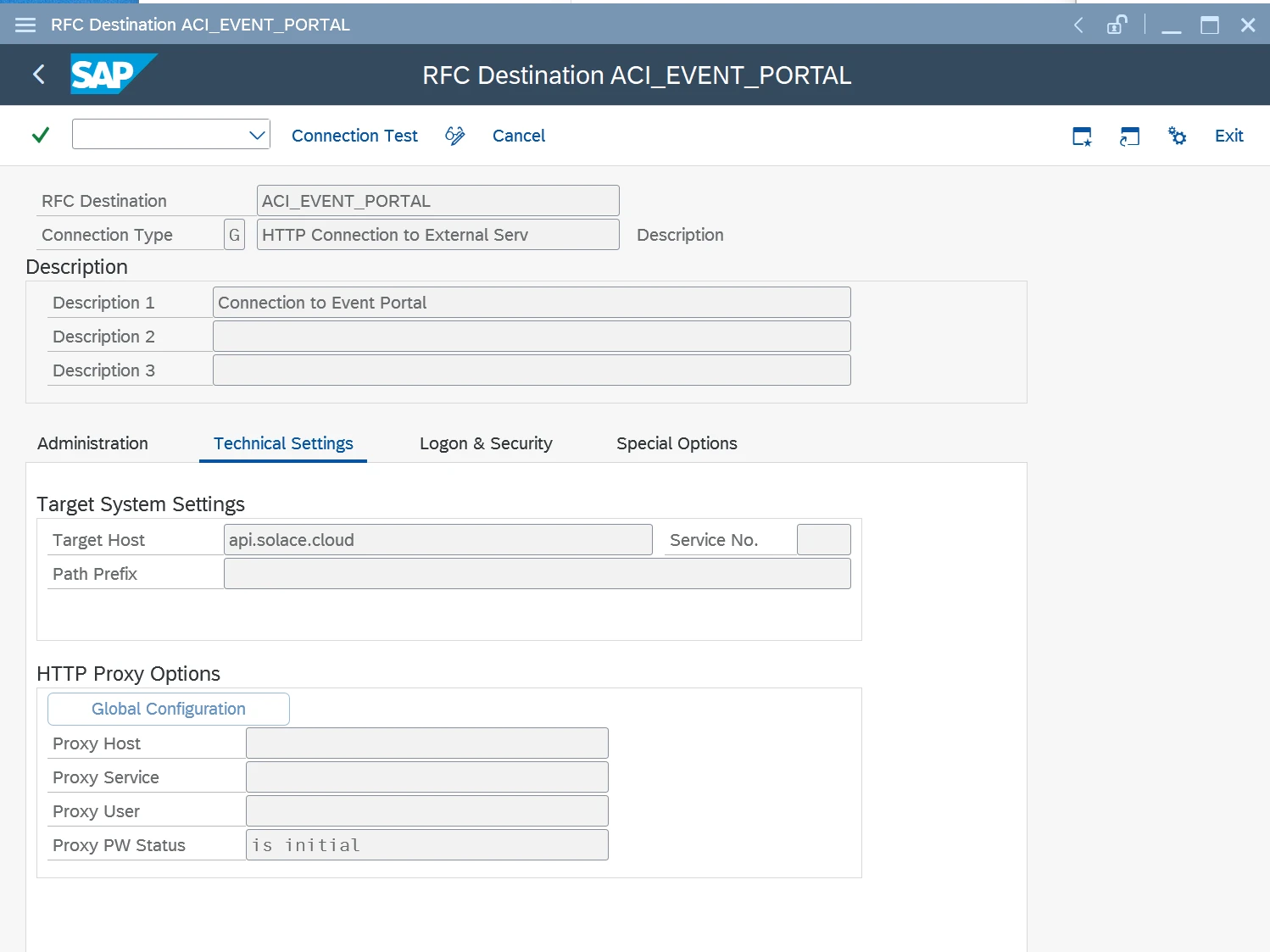
ACI_EVENT_PORTAL, Connection Type G, Target Host api.solace.cloudDefault Values SAP GUI
- Go to section Default Values
- Add New Entry and specify:
- EVENT_PORTAL_APPLICATION_DOMAIN: Application Domain created in Designer of Event Portal
- EVENT_PORTAL_DESTINATION: RFC destination created in SM59 for the Event Portal endpoint
- EVENT_PORTAL_TOKEN_COUNT: Token count number, automatically filled once the token is stored in the Secure Store
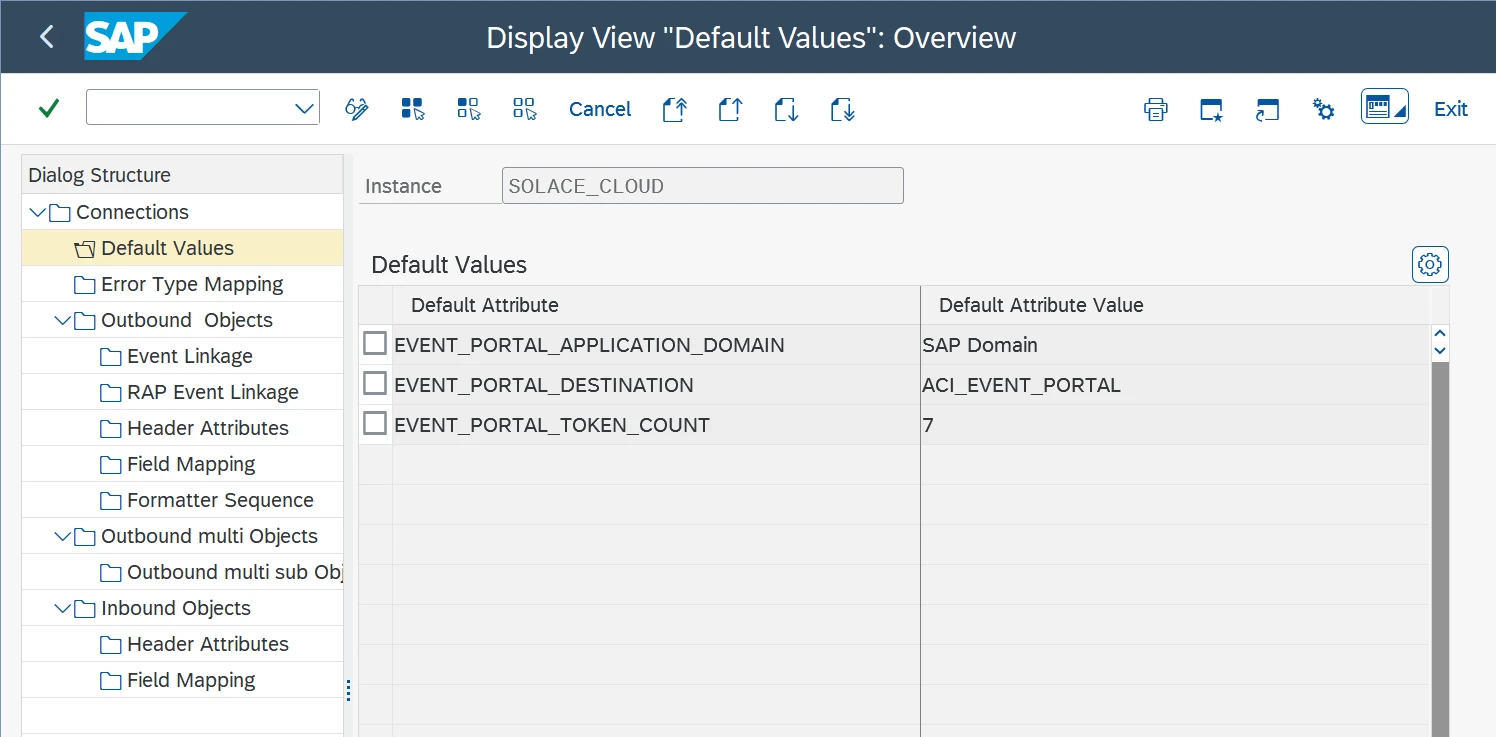
EVENT_PORTAL_APPLICATION_DOMAIN, EVENT_PORTAL_DESTINATION, and EVENT_PORTAL_TOKEN_COUNT for the SOLACE_CLOUD instanceSave API Token in SAP Secure Store SAP GUI
Enter the token in the SAP Secure Store:
- Go to transaction: /ASADEV/SCI_TPW_EP
- Select the created Cloud Instance
- Enter the token in the API token field and execute
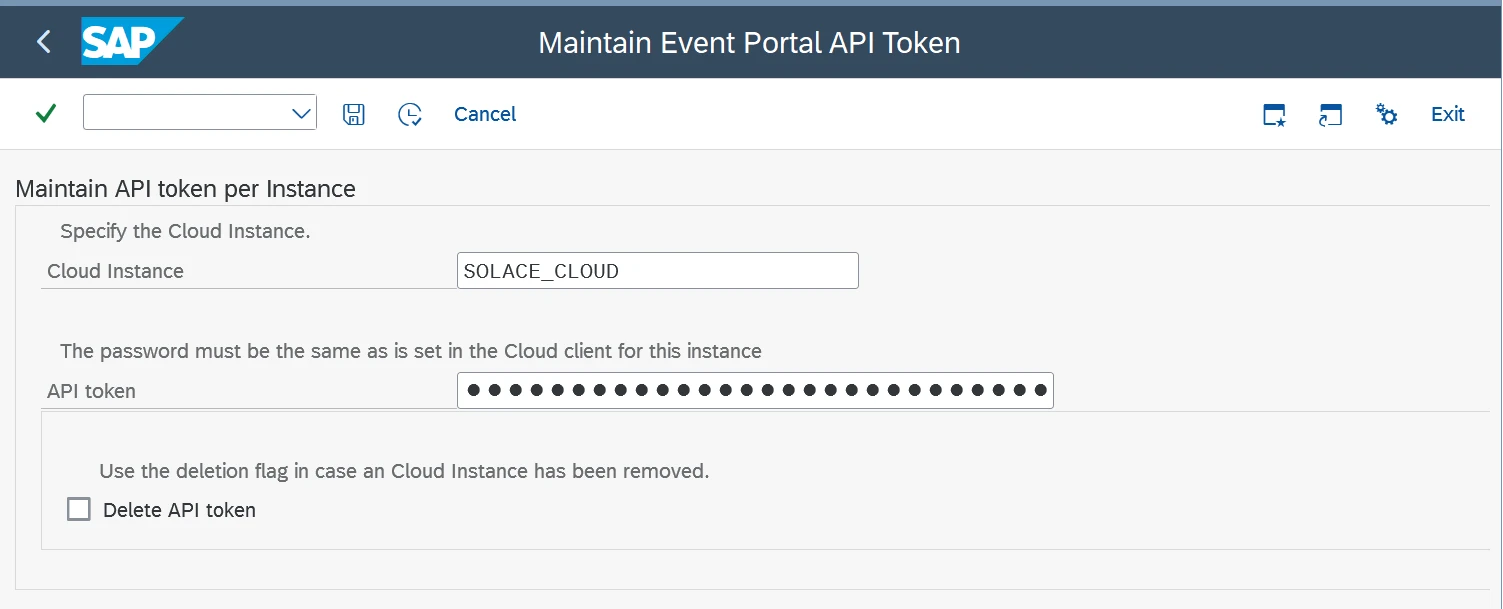
/ASADEV/SCI_TPW_EP — Maintain API Token per Instance, Cloud Instance SOLACE_CLOUDPublish to Event Portal Event Studio
Log in to Event Studio:
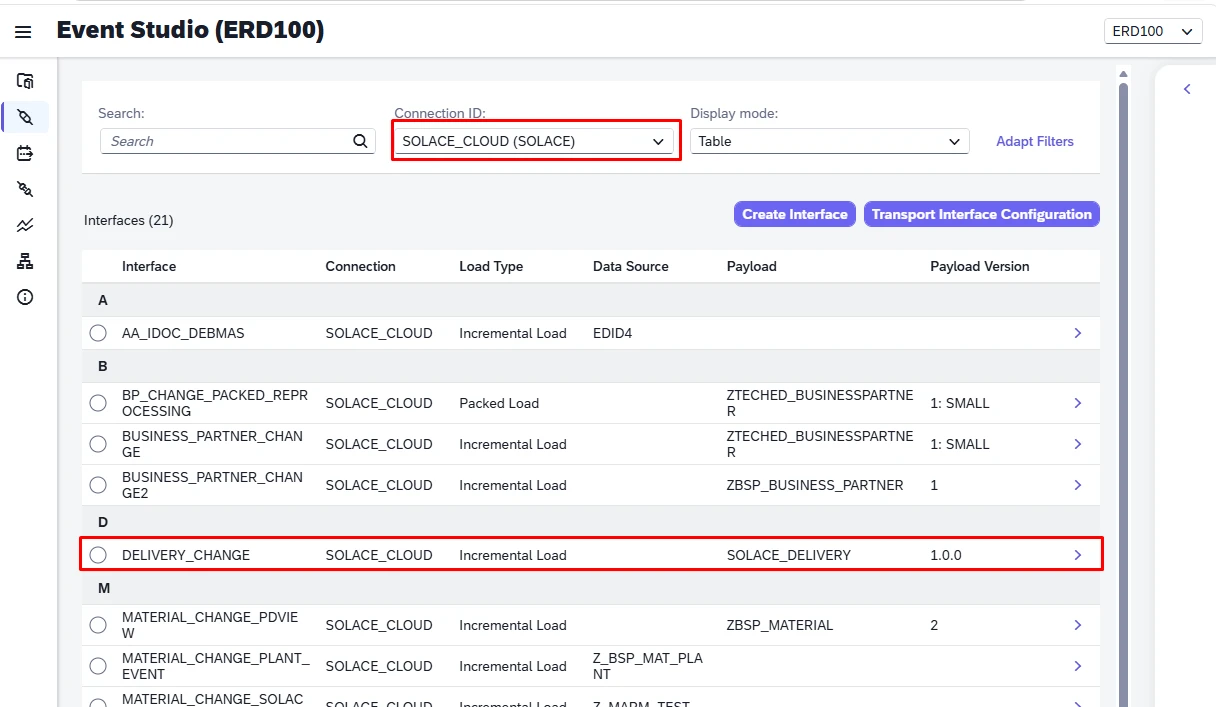
- Go to Interfaces
- Select the Connection configured with the Event Portal Default Values
- Select the desired Interface
- Click on the Publish to Event Portal button
SOLACE_CLOUD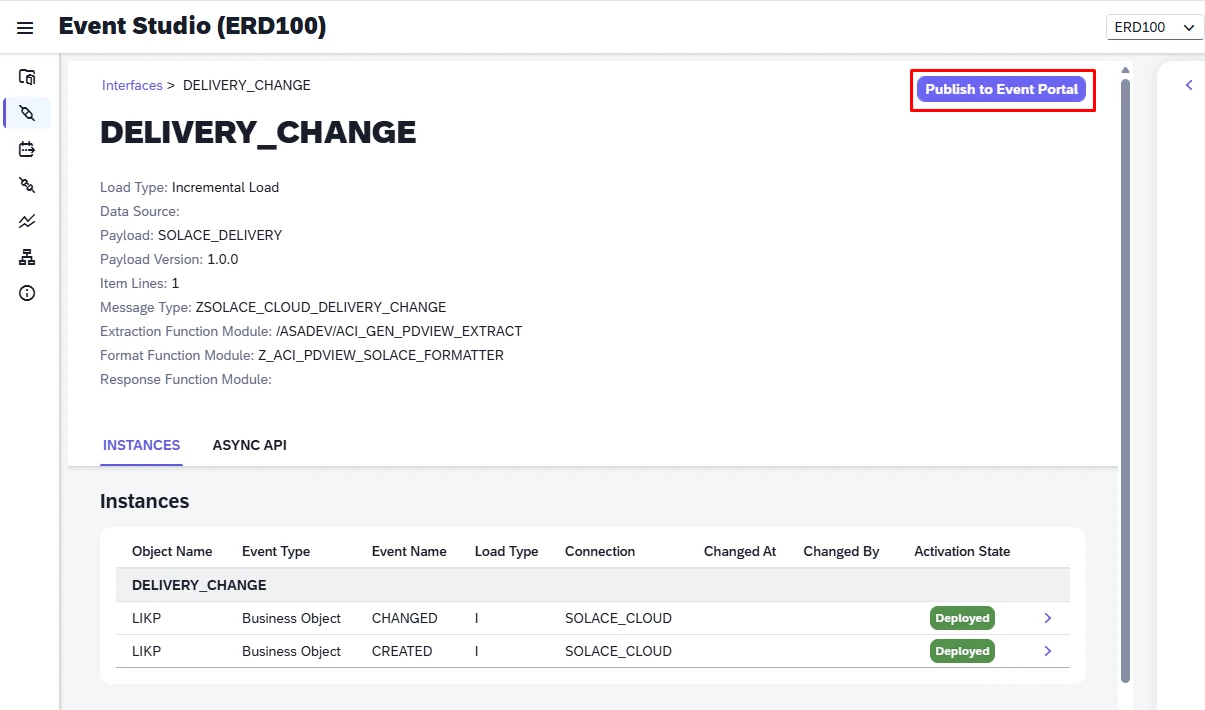
4. Values Extracted
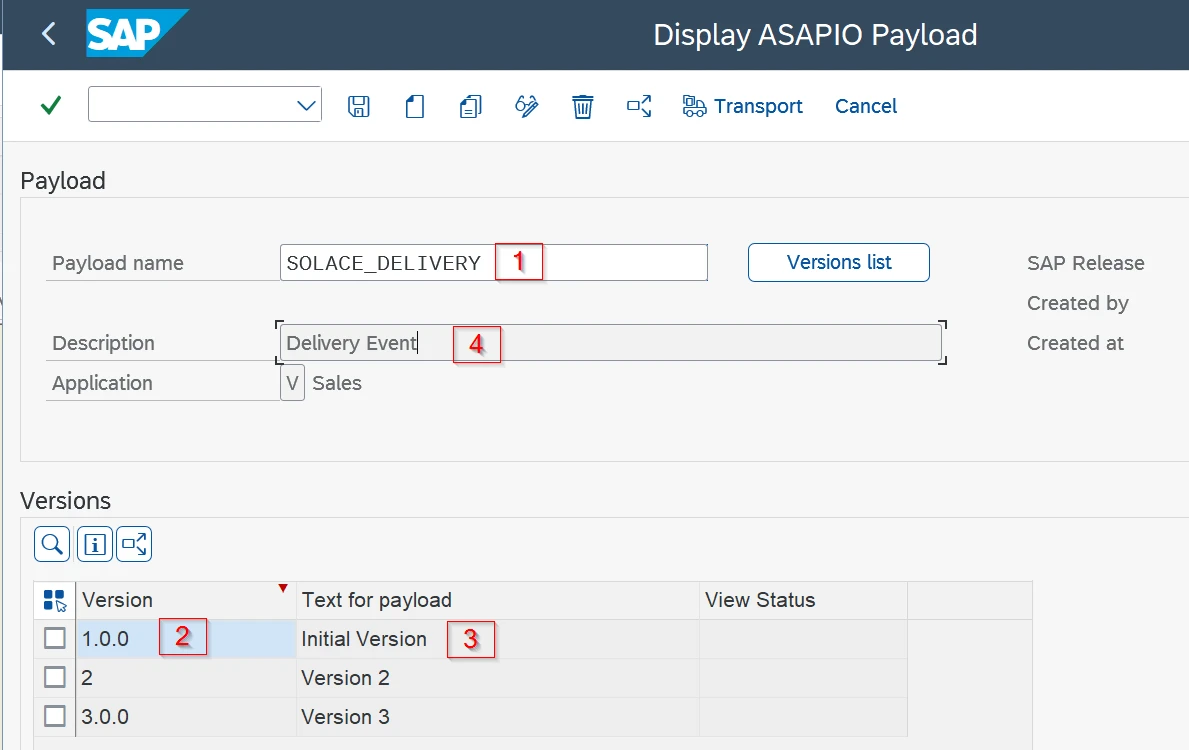
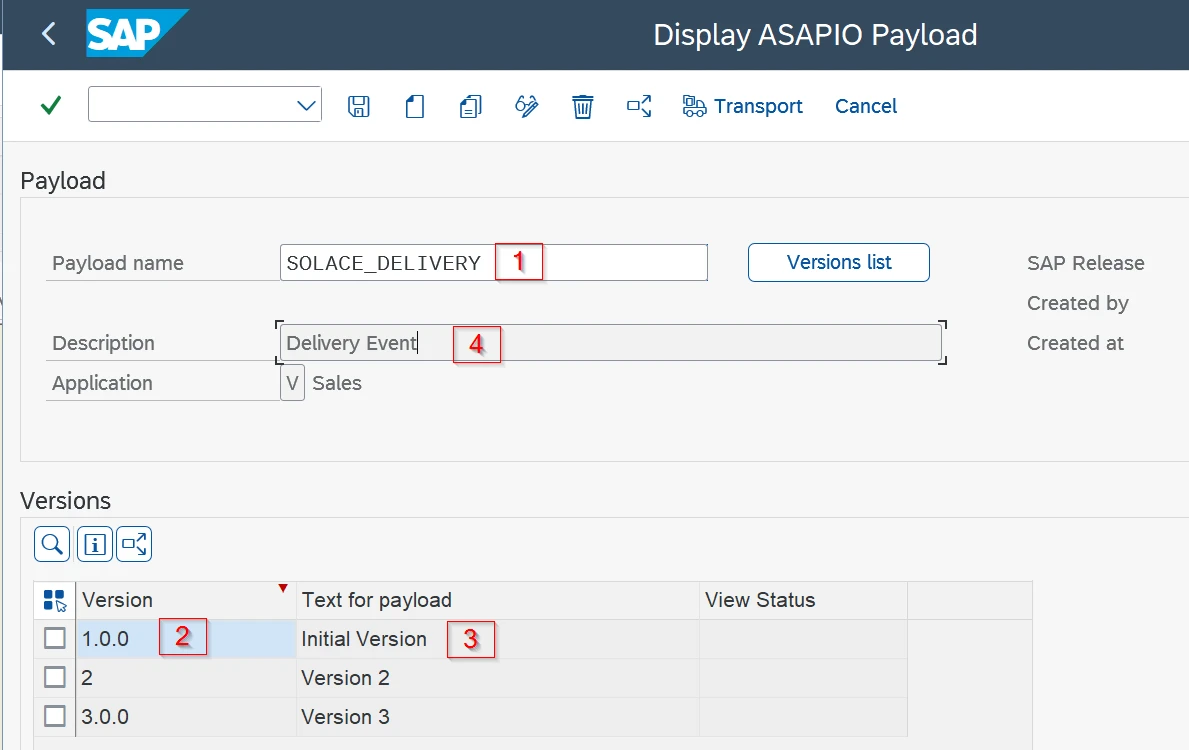
When you publish an interface, ASAPIO derives the Event Portal Schema and Event objects directly from the outbound object's payload configuration.
Schema
- Schema Name: Payload / view name
- Version: Payload version (ref. semver.org) — default value
1.0.0 - Version name: Text for payload — default value
Test - Description: Payload description — default value
Test - Content: Schema from payload / view
- Events: Referenced by Event
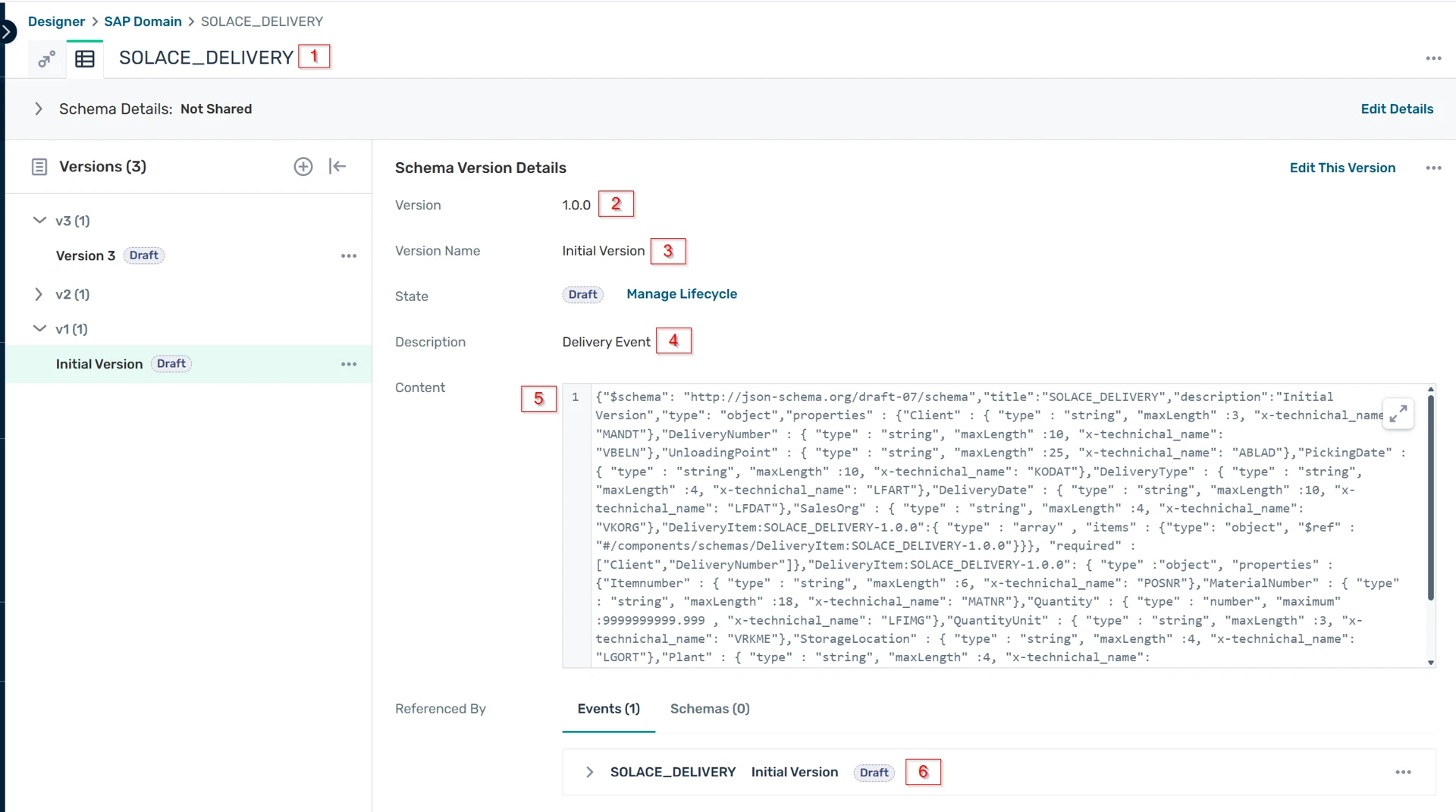
SOLACE_DELIVERY, version 1.0.0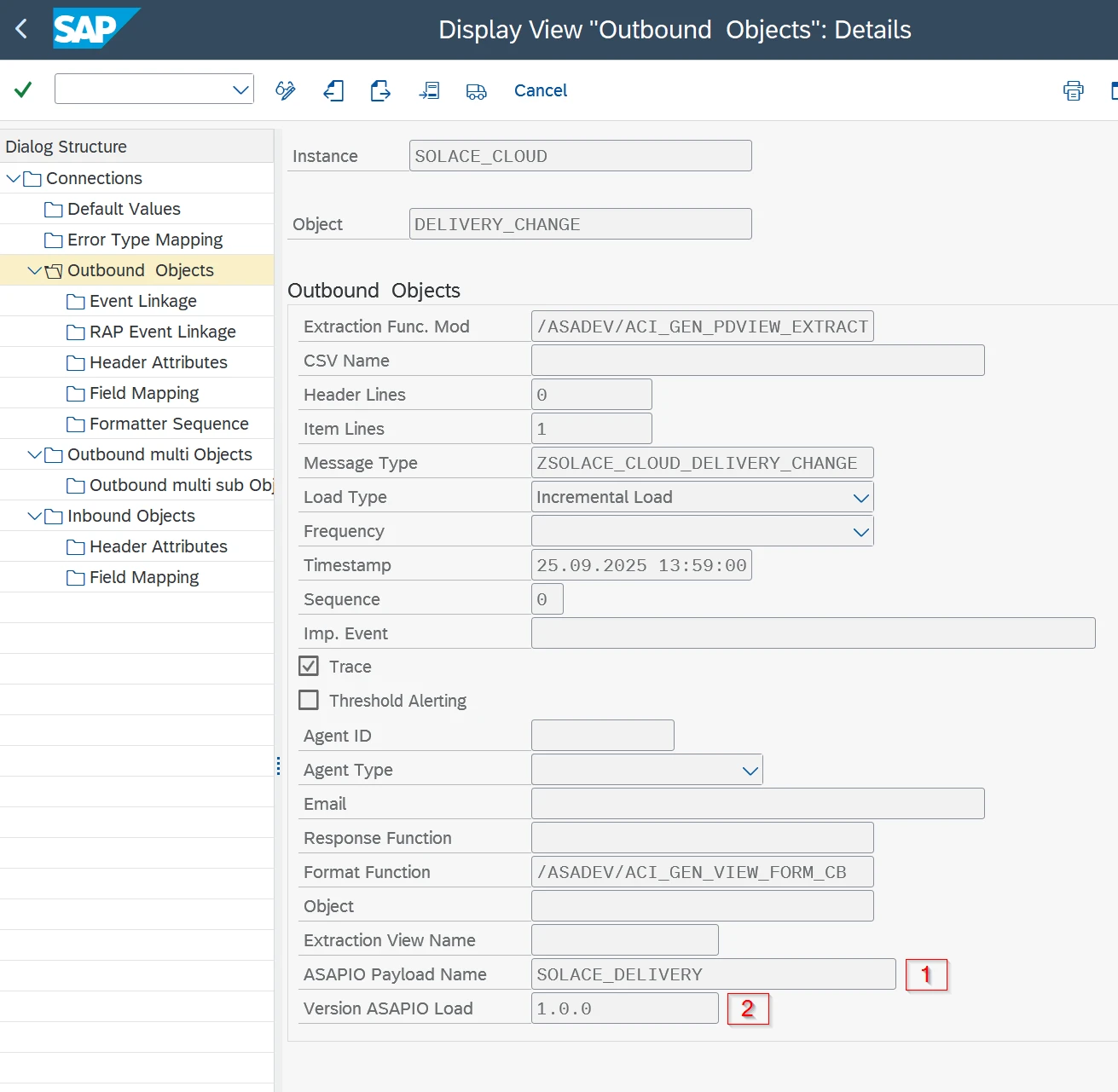
Event
- Event Name: Payload / view name
- Version: Payload version (ref. semver.org) — default value
1.0.0 - Version name: Text for payload — default value
Test - Description: Payload description — default value
Test - Schema: Schema name
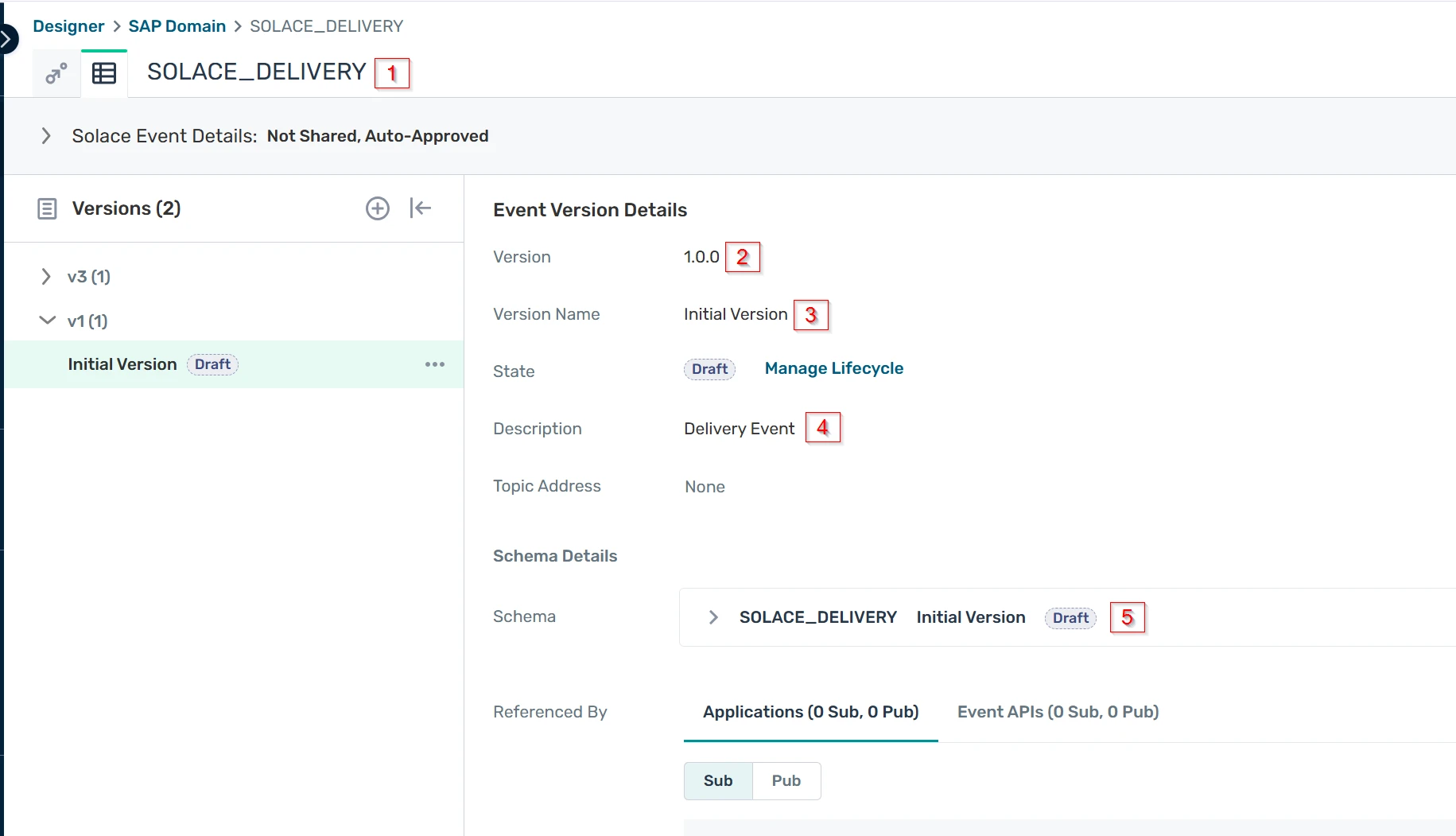
SOLACE_DELIVERY, referencing the matching Schema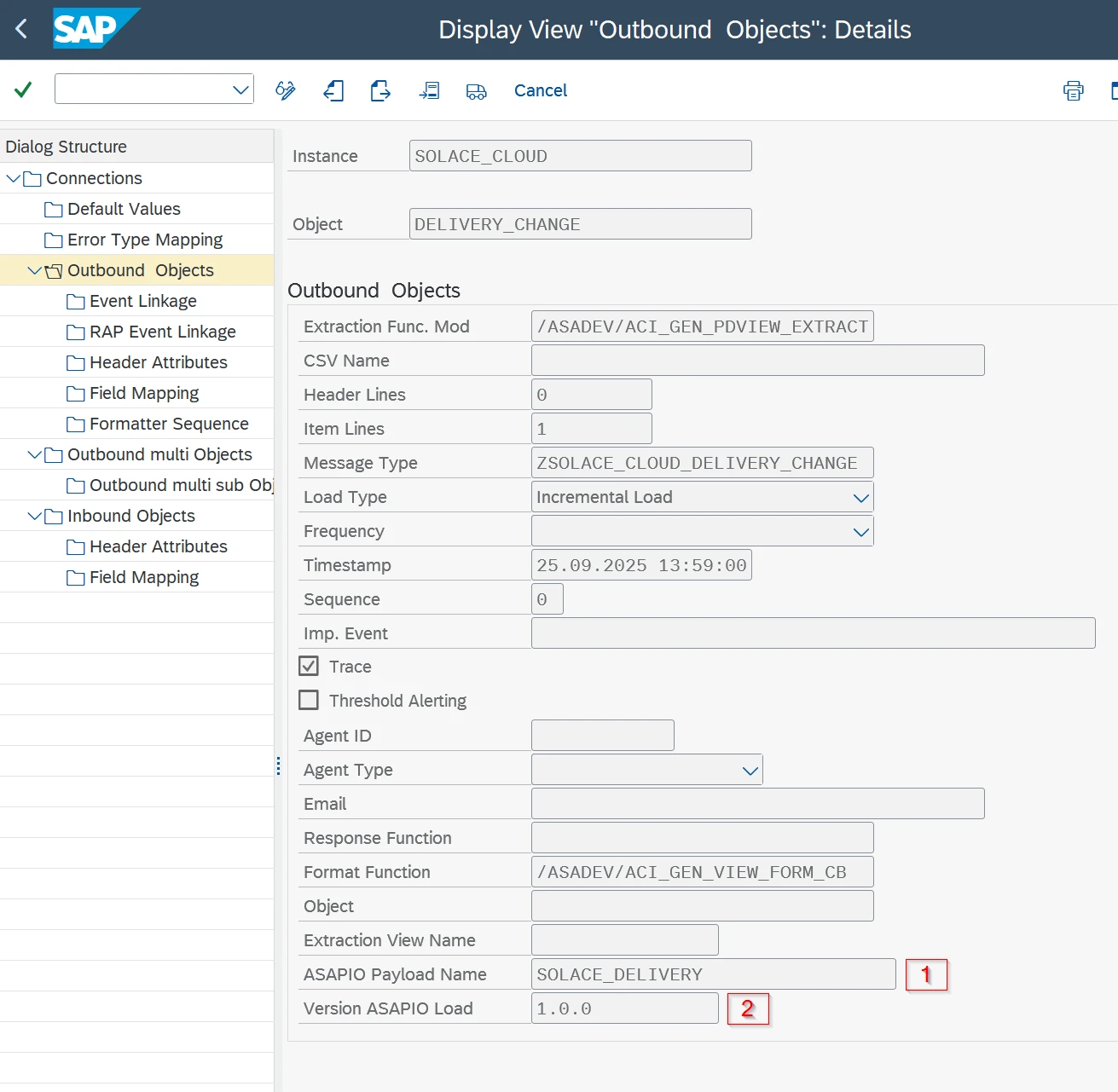
Source: internal configuration guide [FDoc] ACI-421 Integrate with Solace Event Portal, Document Version 1, May 28, 2026.