Experience the latest innovations in event-driven integration for SAP customers
The April 2026 release update for the ASAPIO Integration Add-on introduces new features, alongside quality-of-life improvements, and fixes.
Some of the major additions: Direct RAP Event Support without the necessity of data extraction, SASL/PLAIN Authentication Support as well as Schema support for direct Kafka connections.
ASAPIO Support Portal and Help pages have been updated with the new releases already – get started right away!
Downloads of new versions are available here.
More updates: For more info on the April release updates of the Event Add-on for ERP, please visit the product page. The SAP Fieldglass – ERP Edition Integration Add-on also received a number of new features and improvements – see the release update page for details.
SASL/PLAIN Authentication for Kafka/Confluent
SASL/PLAIN is a widely adopted authentication mechanism for securing Kafka/Confluent connections, allowing clients to authenticate via username and password instead of certificates.
What is new?
ASAPIO connectors using a direct Kafka/Confluent connection can now authenticate to Kafka/Confluent brokers with a username/password combination via SASL/PLAIN. This enables seamless integration with secured, enterprise-grade Kafka/Confluent environments – such as Confluent Cloud or self-managed clusters – without the overhead of certificate-based authentication.
Supported Connectors
Suitable for all connectors using a direct Kafka/Confluent connection.
How to get it
See our documentation for detailed instructions.
Schema Support for Kafka/Confluent
Schema support enables structured message validation against a central Schema Registry, ensuring that data produced and consumed via Kafka/Confluent adheres to a defined format.
What is new?
ASAPIO connectors using a direct Kafka/Confluent connection can now integrate with a Schema Registry. This ensures consistent message structures across producers and consumers, reducing integration errors and improving data reliability in your Kafka/Confluent environment.
Supported Connectors
Suitable for all connectors using a direct Kafka/Confluent connection.
How to get it
See our documentation for detailed instructions.
Direct Sequencing of RAP Event Data
The improved sequencing support released in this update enables direct use of the RAP event data – without requiring prior data extraction. The outbox pattern used by the new API ensures the correct sequence is maintained even in challenging multi-threaded use case scenarios.
Supported Connectors
Suitable for all connectors.
How-to
See our documentation page for detailed information.
Sequencing example from last year’s October Release.
Check out some of the most appreciated features previously introduced in the February 2026 release update:
SAP Cloud ALM integration and exception monitoring
What is SAP Cloud ALM?
SAP Cloud ALM (Application Lifecycle Management) is the central monitoring platform for all connectors in your SAP system landscape. As a cloud-native, SaaS-based platform developed on the SAP Business Technology Platform (BTP), SAP Cloud ALM allows for the managing the implementation and operations of cloud and hybrid SAP landscapes.
What is new?
After Component Health Monitoring was already added in our October 2025 release update, this feature will publish the logs of the Integration Add-on to Cloud ALM in order to perform integration and exception monitoring in your central platform.
Restrictions
Suitable for all connectors.
Setup Guide
Watch the video below or find a detailed guide in our documentation .
Bidirectional AMQP Support
What is AMQP?
AMQP (Advanced Message Queueing Protocol) is an open ISO standard for messaging, reducing typical REST overhead by using a continous TCP connection to the broker.
Supported connectors
Currently available for Solace brokers and SAP S/4HANA.
How to get it
See our documentation for detailed instructions.
Feature details
for inbound messaging:
- With this new feature it is possible to receive messages from a Solace broker via AMQP protocol.
- Using persistent TCP connection to the brokers.
- Payloads will be received and handled by inbound object configurations in the add-on.
for outbound messaging:
- Monitoring support functionality allows for the monitoring of outbound AMQP messages.
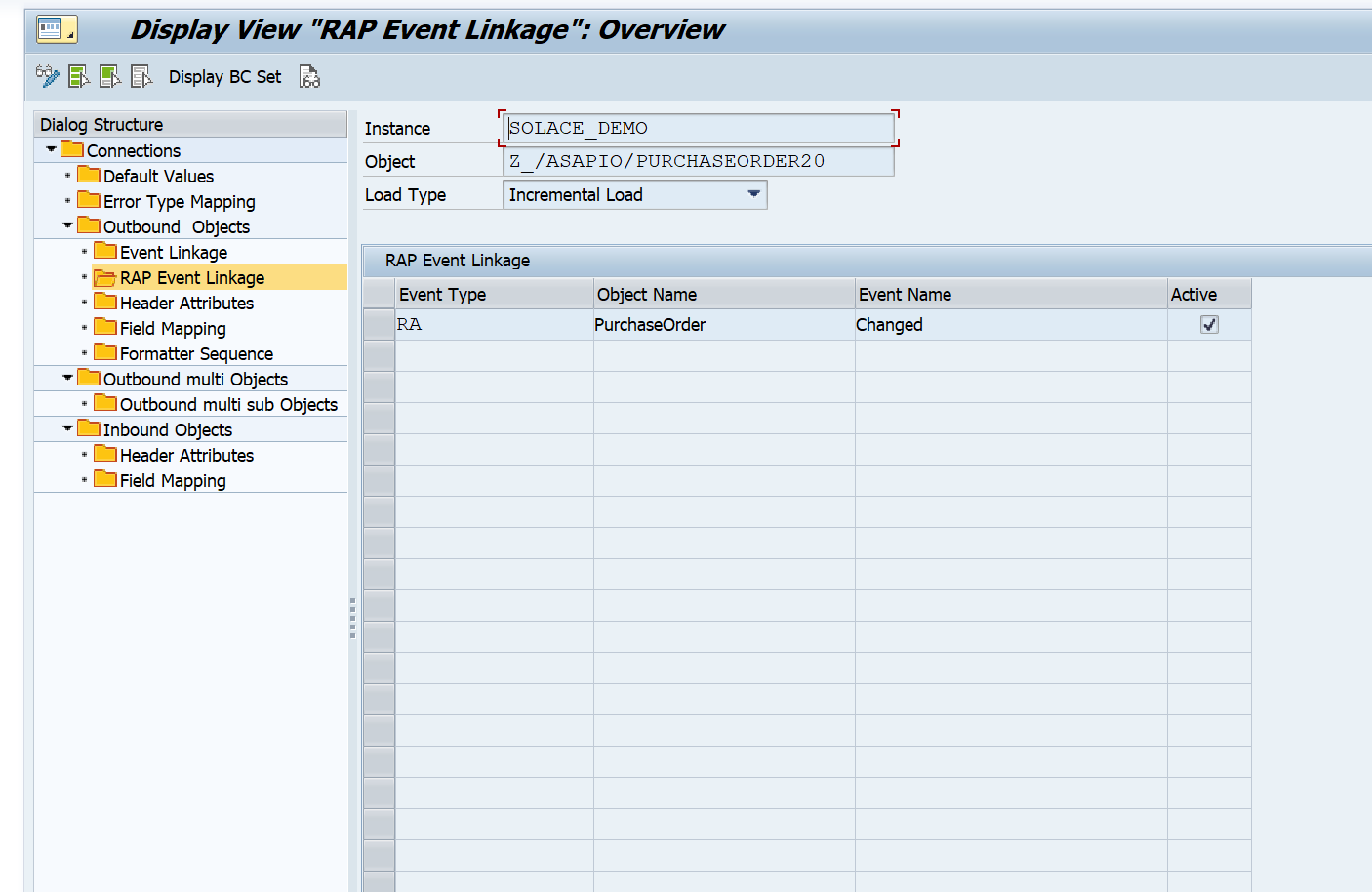
RAP Event linkage in Classic GUI (without Event Studio)
Why was is it added?
With Event Studio and its predefined payloads, we developed a comfortable and efficient way to configure RAP event linkages. However, this feature might not be available in all contexts (e.g. certain SAP Fieldglass use cases).
For that reason, we’ve added RAP event linkage support for our legacy GUI configuration screens, enabling users to set up RAP event linkages without using Event Studio.
Use case flexibility: Choose the configuration method that fits your needs.
How do I get it?
See our documentation for detailed instructions.
Restrictions
Works with all connectors.
Get in touch
Contact us today to schedule a demo and discover how ASAPIO can empower your organization to thrive in the data-driven era.
Existing customer?
Please go download the new versions: